The council of lions has spoken... It's time to create something bigger, together! Clans allow players to create groups of members that join a shared purpose...
Clans
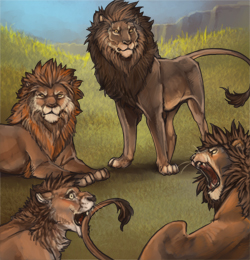
Welcome to the Lioden Clans! Here, mighty lions can lead their own clan for a fee of 2 GB up front, and then a monthly fee of 1000 SB per month. Clans are a great way to form alliances with other prides and to organise breeding groups!
You can own 1 clan at a time, but you can join as many other clans as you like! New clans need to gather 10 membership applications (this number does not include the owner) after their creation or they will not successfully form. Don't worry, you'll get your shiny gold beetles back if that happens! But that shouldn't be so hard, right?
Members of clans may assist their clanmates' prides by giving mood boosts to each others' lions.
On the Clans page, you can find any Pending Clans, Active Clans, Your Clan Memberships, Expiring Clans, and Create a Clan.
Searching Clans
Don't know what clan to join? You can search here for a name, if they are accepting memberships or if you know the ID number of the clan owner, you can use it here to find the clan.

Once you’ve joined a clan, they will show up under Your Clan Memberships:

Joining Clans
There is no limit to how many clans you belong to! Once you are in a clan, you will receive any mass messages that are sent out, and each day you are given 20 uses of Mood Boost. This can be used on any lion belonging to another user in your clan, and will boost the mood by 3%. At any time, you can click on a clan you are a part of and see the details page:

Note: The option to expand the clan membership slots and the ability to view the activity log is only visible to the owner and admins of a clan (Lioden staff can also see it) and not regular players.
You can cancel your own pending membership request from said clan's members page.
Creating a Clan
A new clan can be created if you are not an owner of a clan already! The requirement for your clan to become an active clan are as follows:
- 2
 GB opening fee
 - 1000
 SB monthly for running costs
 - At least 10 members before a week passes (who can be removed afterwards after the clan is made active)

Clan names are unique, so you need to choose a name that no other clan has.
Once your clan is created, you can make the clan thread, describe it in more detail, and change the banner, as well as many other things.

Clan fees are due every 30 days. Once it is due, but not paid, clans will appear in the Expiring Clans section. Once a clan is expired, you will need to pay the fees so that it is up to date. Once all of the fees are paid, your clan will no longer be expired and will be up and running.

Owners and admins are able to change the clan thread, pay the clan fee, change the description, send mass messages, start raffles, hand out clan currency to members, deal with memberships requests, and expand the clan membership slots. Expansions cost 1000SB for 10 more member slots. The only thing owners can do that admins can't is change the admins of the clan, transfer ownership, and close the clan down. Otherwise, both have the same abilities within the clan.
Managing Memberships
Clan owners and admins are able to manage memberships from the Members page, where they can choose to accept all pending membership requests with one click, remove members by inactivity or boot individual members.
The inacivity removal tool includes options for 30 days, 60 days, 90 days, 180 days or 365 days of inactivity. For example, if you choose to remove members that have been inactive for 90 days, the tool will remove any members that have been inactive for 90 days or longer. The tool can only process up to 250 memberships at once.
If your clan is by invitation only, players will have to PM you to show their interest so that you can invite them, or you extend invitations to those you want in your clan. Be aware that invitations cannot be cancelled once sent, and the invited player must choose to either accept or reject the request.
If Membership Requests are enabled, then anyone can ask to join your clan, although you must approve their request.

If Membership Requests are disabled, no one can request to join your clan.
Having a private clan means that no one can see your clan description or anything else. They will only be able to see that it exists. This means the clan name and banner will still appear for all players, but actual details of the clan are kept private to non members. Players who have been invited to the clan, and actual members of the clan are still able to see the whole clan.
However, you cannot make a clan private without first setting the Membership Requests to Invite Only, or Disabled.
Clans are considered self-governing, which means that the admins or an owner of a clan are permitted to remove or reject players from their clan at their own discretion. Petty disputes over clan matters must be worked out between clan members, and Lioden's staff may not be able to assist should someone who was made a clan admin abuses the position within their clan. As such, it is recommended that clan owners only grant clan admin privileges to players they trust.
Clan Hoard and Bank
The Clan Hoard is where the clan's items can be viewed, taken or added to. Clan admins set a daily limit for how many items can be taken from the clan's hoard by members each day, though this limit does not apply to admins.
Once item is deposited into the clan, it is now owned by the clan. Food items will continue to rot whether or not the clan owner rolls over. The food will lose one day of expiry each day at 2:05am Lioden Time until they are taken out of the clan's hoard or they expire. Should the clan be closed down or expire, all of the items in the clan hoard will disappear with the clan.

When you click on the Clan Hoard, you will be able to see what is currently in the hoard, the recent activity, and you will also be able to donate items to the hoard. You can either donate with your name visible, or you can check the anonymous box and be a secret santa!
The Clan Bank can be used to store both SB and GB donated to the clan from their members. You can also pay clan membership fees and expand the clan membership slots with the SB in the bank directly. Clan admins can also withdraw from the bank and send currency to clan members, though they must list a message to explain the reason for withdrawal. These messages can be seen in the clan bank transaction log which is visible to all clan members. When donating, a user may either leave a message with the reason or simply leave the donation blank, which will render the donation anonymous.

By clicking on "View" under Bank Transactions, you can see both the inbound and outbound SB and GB history:

Clan Raffles
Here, clan admins and the clan owner can use the clan SB, GB and items as raffle prizes for their members! You'll be able to purchase unlimited tickets, providing you can afford the ticket fee for the raffle set.
In case of free raffles, each member can get only 1 ticket. Only one clan raffle may be active at any one time.
If the clan expires or is shut down, your raffle ticket costs will not be refunded. If you leave the clan or are booted, your entry will still count.
Raffles have a set deadline of 7 days and they will be run automatically after the last day ends.
Once the raffle is set up, it will appear on the Clan Raffles page along with the tickets purchased and the past 20 winners:

Mass Messaging
Clan owners and admins are able to issue mass messages to clan members. Mass messages can be sent out to just the clan's admins or to all members.

Clan members cannot unsubscribe from clan messages. The only way to stop receiving clan messages is to leave the clan.
Expired Clans
Clans require a 1000 SB payment per month to stay active. Only the owner and the admins of a clan can pay the clan fee using either the clan’s banked currency or their own currency. If the monthly clan fee is missed, the clan will become expired.
When a clan expires, it is moved to the Expiring Clans page, and it will not be viewable by clan members. The owner of the clan and the admins cannot view the clan’s hoard, member list or other subpages until the clan fee is paid. An expired clan can be re-opened if its clan fees are paid up to date. Be aware that the clan fee is per month and any expired clans will need to have their missing fees paid in full for each month the clan has been expired.
Transferring Clan Ownership
If you no longer desire to own a clan, you can transfer its ownership to an admin of the clan. The admin you choose cannot be an owner of another clan. Please be aware that the ownership change is permanent and you cannot access the “Transfer Ownership” menu any longer. Transferring a clan’s ownership does not affect the clan in any way beyond its ownership changing. Any ongoing raffles will run as normal and any items in the clan’s hoard will remain there.

Closing Down a Clan
If you no longer wish to have a clan, you are able to close it down. Be aware, however, that this is permanent and all assets will be deleted. This means that any currency in the bank and any items in the hoard will disappear into the void, so take care. You will not get your creation fee of 2 GB back. To close down the clan, scroll to the bottom of the page and you will be presented with the option:


This page has been viewed 17849 times.